
Category: Healthcare Marketing

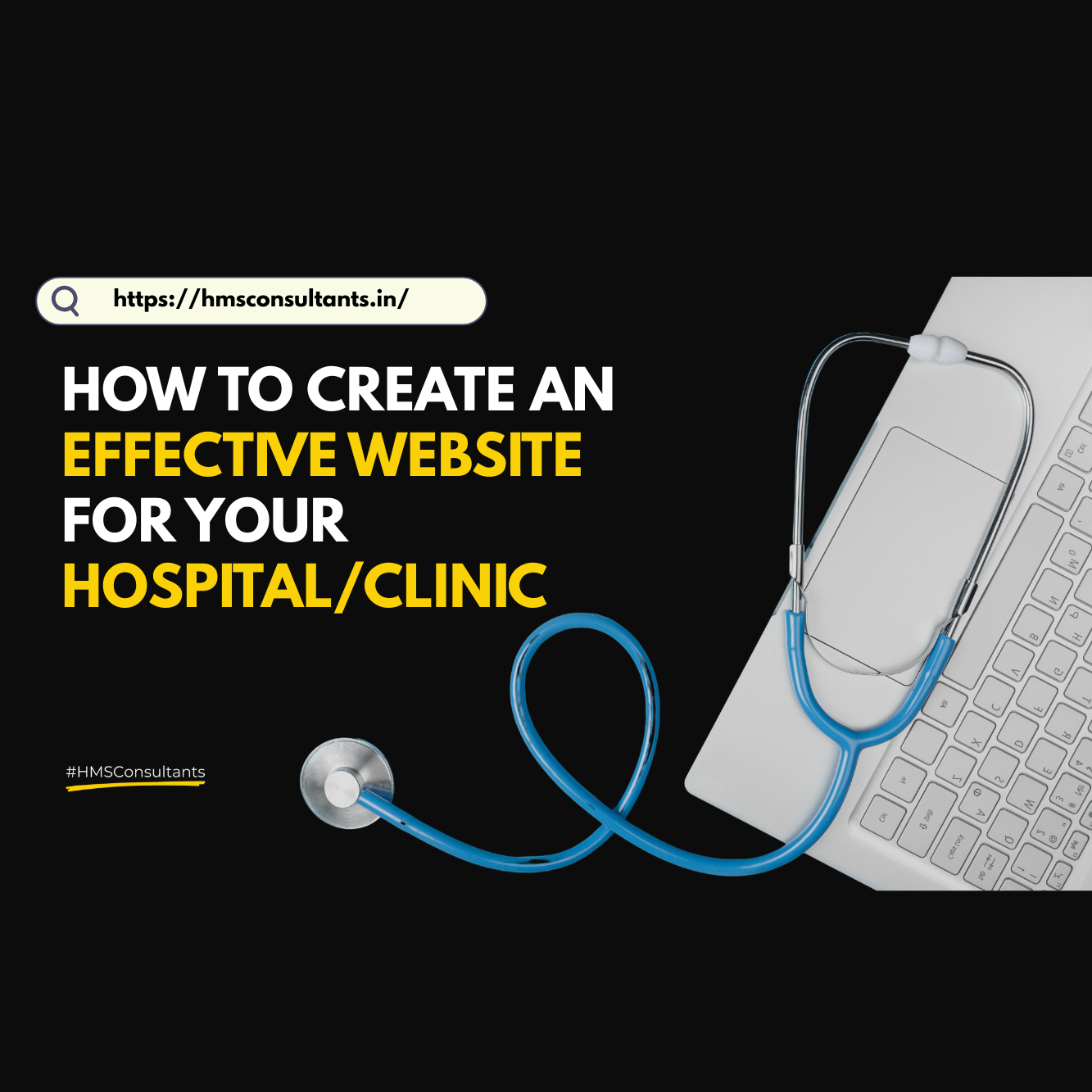
  • How to Create an Effective Website for Your Hospital/clinic

    How to Create an Effective Website for Your Hospital/clinic

    How to Create an Effective Website for Your Hospital/clinic

    Written by
    Published on
    Share This

    If you’re a hospital owner, medical director, or healthcare entrepreneur searching “website for hospital,” you’re not alone. In today’s digital-first world, your hospital’s website is no longer just a brochure, it’s your first impression, your digital reception desk, and often your main source of patient acquisition. Yet, so many hospitals continue to operate with outdated, confusing, or poorly structured websites that drive patients away.

    In this blog, we’ll break down what truly makes a hospital website effective and why getting it wrong can silently cost you patients every single day.

    Why Your Hospital Website Matters More Than Ever

    Before we get into features and structure, let’s be clear: your website isn’t just a design asset. It’s a business tool.

    • Patients are Googling symptoms and nearby hospitals before making a call.
    • Referrals check your digital presence before they recommend you.
    • Insurance companies, corporate clients, and new doctors judge credibility from your website.

    In short, if your website doesn’t inspire trust and provide clarity, you’re losing patients.

    Top Reasons Hospital Websites Fail (And How to Fix Them)

    1. Cluttered or Confusing Homepage

    If a patient can’t figure out what you offer within 5 seconds, you’ve lost them. A good homepage should immediately show:

    • What kind of care you offer
    • Where you’re located
    • How to get in touch or book

    Fix: Use clear headers like “24×7 Emergency Care in Ahmedabad” or “Book Your Appointment in 3 Clicks”.

    2. No Mobile Optimization

    More than 70% of patients browse on their phones. A site that doesn’t load well or navigate easily on mobile is instantly frustrating.

    Fix: Ensure your website is mobile responsive and loads in under 3 seconds.

    3. Missing Key Information

    Too many hospital websites forget to list:

    • Doctor profiles
    • Visiting hours
    • Departments & services
    • WhatsApp/Call buttons

    Fix: Include a well-structured “About Us” and “Doctors” section, plus a visible contact bar across all pages.

    4. No Clear Call to Action (CTA)

    If there’s no button or link telling patients what to do next, they’ll leave. A CTA could be:

    • “Book Appointment”
    • “Consult Now on WhatsApp”
    • “Call Emergency Room”

    Fix: Every page should guide the patient toward the next step.

    5. Poor SEO & Metadata

    You may have a beautiful website, but if it’s not optimized for search, nobody will find it.

     Fix: Use targeted keywords like:

    • “Best hospital in [City]”
    • “Emergency care near me”
    • “24×7 ICU in [Location]”

    Include meta titles, alt text for images, and structured content with H1-H3 tags.

    Must-Have Features for a Great Hospital Website

    Here’s a checklist to guide your web development team:

    • Fast loading speed (under 3 seconds)
    • Clear services overview
    • Searchable doctor directory
    • Mobile-first design
    • WhatsApp or instant call button
    • Appointment form or booking integration
    • Patient testimonials or Google Reviews
    • Integrated Google Maps & address
    • Chatbot or enquiry form
    • Basic accessibility features (font size, color contrast)

    Content That Converts Patients

    A good hospital website doesn’t just list services it educates and reassures.

    Instead of just writing “Orthopaedics,” explain: “From fractures to joint replacements, our ortho team brings 20+ years of surgical experience. Book a consultation today.”

    Instead of listing doctor names only, write: “Dr. Meena Gupta, MD Pediatrics ith 15 years of experience in newborn and child care.” Well-written, human-centered content increases trust and conversions.

    Final Thoughts : Your Website is Your Digital Hospital

    Just like you wouldn’t leave your OPD messy or your reception unstaffed, don’t leave your website unclear or outdated.

    Patients are visiting your digital front door before they ever walk in physically.

    Invest in it wisely. Review it regularly. Optimize it continuously.

    Want to check if your website is doing the job? Just open it on your phone and ask: “If I were a new patient, would I book?”

    Written by Tusharika Ranjan

    Doctors Digital Marketing I Healthcare Marketing I Hospital Marketing Strategies I Marketing ideas for clinics I Marketing Trends 2025 I Medical Marketing I Social Media Marketing

    is something we strongly believe in, which means ‘Knowledge without application is the same as having no knowledge at all

    Akhil Dave

    Principle Consultant

    Ready to take your Personal Brand to the next level?

    Share your details below and we will connect with you to discuss your growth strategy.

    • From Call Logs to Conversions: Why Your Reception Team Might Be Failing Your Healthcare Marketing

      From Call Logs to Conversions: Why Your Reception Team Might Be Failing Your Healthcare Marketing

      From Call Logs to Conversions: Why Your Reception Team Might Be Failing Your Healthcare Marketing

      Written by
      Published on
      Share This

      You’ve done the hard work, invested in digital ads, optimized your SEO, boosted your social media. The phone finally rings. But what happens next?

      In many hospitals, clinics, and diagnostic centers, the front desk or reception team becomes the weakest link in the marketing funnel. The ads may work, but the conversions don’t follow. Why? Because no one trained the people who answer the calls to handle them strategically.

      This blog dives into why receptionist training is crucial for patient conversion, and how healthcare businesses can plug this invisible leak.

      1. The Front Desk Is Your First Impression

      In healthcare, trust is everything. For many patients, the first human interaction they have with your clinic isn’t the doctor, it’s the receptionist. A rushed or robotic tone, lack of clarity, or poor attitude can instantly break that trust. Ask yourself:

      • Are my receptionists trained to sound calm, helpful, and empathetic?

      • Do they know how to handle new patient inquiries, not just routine appointments?

      2. Most Receptionists Aren’t Trained to Convert

      Reception teams are usually trained for operations which are appointment booking, billing, file management. But when someone calls for the first time, it’s a sales opportunity, not just a clerical task. A good receptionist should:

      • Know how to explain the doctor’s expertise in simple, reassuring language
      • Guide the patient confidently toward booking a consultation
      • Offer alternatives if the schedule is full (next best date, teleconsults, etc.)
      • Ask the right questions without sounding intrusive

      3. You’re Losing Money on Every Untrained Call

      Imagine spending Rs. 5000 on ads. You get 15 leads. But only 3 convert because your front desk doesn’t follow up, can’t explain services, or keeps patients on hold.

      That’s money burned.

      Every missed or fumbled call isn’t just bad service, it’s a lost marketing investment. Your clinic’s ROI isn’t just tied to your marketing team. It’s tied to your operational readiness to convert.

      4. Patients Today Need Guidance, Not Just Information

      Thanks to Google, patients already know the basics. They call because they want clarity, assurance, and direction. If your receptionist simply says, “Yes, we do that. You can come,” then it’s not enough.

      Instead, the call handler should say: “Yes, we have Dr. X who specializes in this. The consultation takes about 20 minutes. We can book you for tomorrow or suggest a video consultation today if it’s urgent.” This shift in tone increases confidence, and with it, bookings.

      5. Call Scripts Are Not Just for Corporates

      Even small clinics can benefit from basic call scripts and standard responses. They ensure:

      • Every caller gets complete, consistent information
      • Receptionists know how to handle pricing questions
      • Upselling (like tests, second opinions, or follow-ups) happens naturally

      Scripts are not about sounding robotic, they’re about being prepared and professional.

      6. You Can Track and Improve Reception Performance

      If you’re running marketing campaigns, set up a dedicated phone number (via a cloud telephony tool) to track how many leads come in and how they’re handled. Also consider:

      • Call recordings (with patient consent) for training
      • Weekly performance reviews
      • Incentives for conversions booked

      This turns your reception team into an extension of your sales strategy.

      Final Thoughts

      It’s easy to point fingers at marketing when patient footfall doesn’t increase. But often, the problem lies after the phone rings. Reception training is marketing enablement and every healthcare business should treat it as such.

      In today’s competitive landscape, your next patient isn’t just one ad away. They’re one good phone conversation away.

      Written by Tusharika Ranjan

      Doctors Digital Marketing I Healthcare Marketing I Hospital Marketing Strategies I Marketing ideas for clinics I Marketing Trends 2025 I Medical Marketing I Social Media Marketing

      is something we strongly believe in, which means ‘Knowledge without application is the same as having no knowledge at all

      Akhil Dave

      Principle Consultant

      Ready to take your Personal Brand to the next level?

      Share your details below and we will connect with you to discuss your growth strategy.


      • How Digipin will Revolutionize Healthcare Access in India

        How Digipin will Revolutionize Healthcare Access in India

        How Digipin will Revolutionize Healthcare Access in India

        Written by
        Published on
        Share This

        In the middle of India’s rapid digital evolution, a silent yet powerful shift has arrived: Digipin. Launched by India Post, this new 11-character digital address system is more than a tech upgrade. It’s a chance to reimagine how patients find care, how emergency services respond, and how small healthcare businesses become visible in an overcrowded market.

        While Digipin has been introduced for all types of address simplification, its potential impact on healthcare delivery, emergency care, and medical logistics deserves special attention.

        What is Digipin?

        Digipin is India’s AI-powered geolocation-based digital address, developed by India Post under the Ministry of Communications. Each Digipin is an 11-character code that maps to your precise location, usable on any map app. No more directions like “next to the blue gate” or “behind XYZ building.” Just a code that leads exactly where you are. Visit digipin to generate yours.

        Why Digipin Matters for Healthcare

        1. Emergency Care: Time Lost is Life Lost

        Think of an ambulance navigating small lanes in a congested city. Or a first responder trying to reach a home for a cardiac arrest case. In emergency care, location clarity can literally save lives.

        With Digipin:

        • Hospitals can share their precise location in seconds
        • Ambulances can reach exact entry gates, not just the road outside
        • Patients in need can guide responders even from unfamiliar areas

        This is not just about convenience, it’s about eliminating critical delays in response time.

        2. Reducing Missed Appointments

        Many patients skip appointments simply because they can’t find the clinic. Especially in tier 2 and 3 cities, or in dense urban neighborhoods where addresses are unclear, location confusion equals patient loss. Sharing a Digipin in appointment reminders, websites, and WhatsApp replies can cut through that confusion instantly.

        3. Making Small Clinics and Startups Discoverable

        If you’re a new clinic, wellness center, or diagnostic lab, you’re probably not showing up where it matters. Patients won’t drive 30 minutes to search for a new name unless they know exactly how to reach you.

        Digipin can:

        • Improve your Google Maps accuracy
        • Strengthen your SEO by linking to verified digital addresses
        • Help you stand out in hyperlocal searches

        4. Home Healthcare, Reinvented

        From physiotherapy sessions to sample collections, home healthcare is growing fast but it’s also logistically challenging. When staff can rely on one fixed Digipin instead of vague WhatsApp pins or back-and-forth calls, it reduces time, confusion, and the risk of missing or delaying visits.

        5. A Marker of Digital Trust

        Today’s patients are more digitally informed than ever. When they see that a provider has a Digipin, a verified GMB listing, and seamless digital communication, it builds trust before they even step in. Early adoption of Digipin isn’t just smart it signals that your practice is future-ready, accessible, and aligned with modern patient expectations.

        How to Make Digipin Work for You

        • Add it to your Google My Business and digital directory listings
        • Include it in all SMS and WhatsApp appointment reminders
        • Print it on prescriptions, signboards, and visiting cards
        • Share it on your website contact page and social media bios

        Final Thoughts

        Healthcare in India has always struggled with one thing: being accessible in the moments that matter most.

        Digipin, while simple on the surface, could dramatically improve how patients find care, how emergencies are handled, and how small providers compete with big hospitals in discoverability.

        In a world where healthcare is shifting toward decentralized, doorstep, and digitally navigated models, Digipin is the kind of infrastructure innovation that could quietly change everything.

        The question isn’t should you get your Digipin?

        It’s how quickly can you integrate it into your patient experience?

        At HMS Consultants, we’re constantly tracking such digital innovations that can transform healthcare accessibility and if you’re in the business of care, so should you.

        Written by Tusharika Ranjan

        Doctors Digital Marketing I Healthcare Marketing I Hospital Marketing Strategies I Marketing ideas for clinics I Marketing Trends 2025 I Medical Marketing I Social Media Marketing

        is something we strongly believe in, which means ‘Knowledge without application is the same as having no knowledge at all

        Akhil Dave

        Principle Consultant

        Ready to take your Personal Brand to the next level?

        Share your details below and we will connect with you to discuss your growth strategy.

        • How to Plan a Health Awareness Camp That Converts

          How to Plan a Health Awareness Camp That Converts

          How to Plan a Health Awareness Camp That Converts

          Written by
          Published on
          Share This

          Every clinic posts about World Health Day. Many doctors share Breast Cancer Awareness content in October. Hospitals share infographics on Diabetes Day.

          But here’s the problem: Most awareness campaigns are invisible. Or worse, forgettable.

          If you want your clinic or healthcare brand to stand out and more importantly, if you want these campaigns to convert into patients, referrals, or goodwill you need more than a Canva post. This blog breaks down how to plan health awareness campaigns that are not only educational but also strategically aligned with your clinic’s goals.

          Why Most Health Awareness Campaigns Fail

          Let’s start with what usually happens:

          • Clinics post a generic visual with “Wishing you a healthy World Heart Day”
          • There’s no message, no call-to-action, no local relevance
          • It disappears into the sea of sameness

          And then? Nothing changes. No new patients. No increased engagement. No brand lift. That’s because awareness without action doesn’t move people.

          Awareness Days Are Opportunities! If You Use Them Right

          Each health awareness day is a strategic moment to:

          • Educate your audience about a key condition or service
          • Reinforce your clinic’s credibility
          • Reach specific patient groups
          • Trigger appointments, check-ups, or screenings

          But to do this, you need a campaign, not just a post.

          5 Steps to Plan a High-Impact Awareness Campaign

          1. Pick the Right Days (That Fit Your Services)

          Don’t post for every day. Be selective.

          Examples:

          • A fertility clinic: PCOS Awareness, IVF Awareness, Women’s Health Day
          • An eye hospital: World Sight Day, Diabetic Retinopathy Week
          • A general clinic: World Health Day, Hypertension Day, Anti-Tobacco Week

          Choose days that:

          • Align with your core services
          • Resonate with your patient base
          • Offer a clear educational or promotional angle

          2. Decide the Objective: What Do You Want to Happen?

          Awareness should lead to something.

          Pick 1 goal:

          • More footfall for a free screening camp
          • Appointment bookings for a specific check-up
          • Newsletter sign-ups or lead collection
          • Brand reinforcement in your community

          Having one clear goal helps guide your messaging.

          3. Go Beyond Social Media: Make It Multi-Channel

          Don’t stop at Instagram or Facebook. Combine channels like:

          • WhatsApp broadcasts to existing patients
          • Posters or standees in clinic
          • Local radio or RWA group mentions
          • Collaborations with nearby gyms, schools, or chemists

          The more real-world relevance, the better the traction.

          4. Create Clear, Action-Oriented Content

          Generic messaging doesn’t work. Be specific. Examples:

          • “PCOS is underdiagnosed in urban women. Join our free screening this weekend.”
          • “Your eyes might be silently damaged by diabetes. Book a retina check on World Sight Day.”
          • “This week only: Free blood pressure checks for first 50 walk-ins. No appointment needed.”

          Use urgency, empathy, and clarity.

          5. Track Engagement and Patient Response

          Every campaign should be followed by a simple performance review:

          • How many appointments were booked?
          • How many inquiries came via WhatsApp or phone?
          • Did footfall increase?
          • What content got the most shares/saves?

          Tracking helps you learn what to improve next time.

          Bonus: 6 Upcoming Awareness Days Clinics Can Prepare For

          Month

          Awareness Day

          Who Should Use It

          August

          World Breastfeeding Week

          Pediatricians, Maternity Clinics

          September

          World Heart Day (29th)

          Cardiology Clinics, General Physicians

          October

          Breast Cancer Awareness Month

          Gynecologists, Diagnostic Centres

          November

          World Diabetes Day (14th)

          General Clinics, Eye Hospitals

          December

          AIDS Awareness

          Public Health Clinics, Counselors

          Start 2–3 weeks in advance. Build momentum instead of last-minute posts.

          Final Thoughts

          Don’t post because everyone else is posting. Post because it fits your brand, helps your patients, and moves your message forward. The right awareness campaign won’t just educate. It will convert.

          Written by Tusharika Ranjan

          Doctors Digital Marketing I Healthcare Marketing I Hospital Marketing Strategies I Marketing ideas for clinics I Marketing Trends 2025 I Medical Marketing I Social Media Marketing

          is something we strongly believe in, which means ‘Knowledge without application is the same as having no knowledge at all

          Akhil Dave

          Principle Consultant

          Ready to take your Personal Brand to the next level?

          Share your details below and we will connect with you to discuss your growth strategy.

          • Measuring What Matters: The Marketing Metrics Clinics Actually Need

            Measuring What Matters: The Marketing Metrics Clinics Actually Need

            Measuring What Matters: The Marketing Metrics Clinics Actually Need

            Written by
            Published on
            Share This

            Walk into any modern clinic or hospital today, and you’ll likely hear this:

            “We’ve been running ads, posting on Instagram, even hired an agency but patients aren’t increasing the way we expected.” Sound familiar? Most clinics today are spending on marketing. But very few are measuring what truly matters.

            Too often, the success of a campaign is judged by likes, followers, or impressions. While these numbers might look impressive on a social media report, they rarely answer the more important question:

            “Did it bring the right patients through the door?”

            The Real Cost of Tracking the Wrong Metrics

            Let’s say you spent ₹10,000 boosting a reel about your clinic’s new service. It got 15,000 views. Your agency calls it a win. But two weeks later, your appointment calendar looks exactly the same. That’s not a win. That’s a missed opportunity to understand what’s actually driving results.

            In reality, many clinics fall into the trap of chasing visibility without clarity:

            • Posting without knowing who they’re speaking to
            • Running ads without tracking what happens after the click
            • Judging campaigns based on engagement, not patient action


            Marketing becomes a blur of effort but not always impact.

            The 6 Metrics That Actually Drive Clinic Growth

            Let’s refocus. Here are the key metrics that smart healthcare businesses use to understand performance, optimise spend, and build sustainable growth:

            1. New Patient Acquisition Rate

            This tells you how many first-time patients you’re bringing in. It’s your frontline growth indicator.

            If this number is flat despite marketing efforts, something’s off in your targeting, messaging, or funnel.

            2. Appointment Conversion Rate

            Not everyone who shows interest becomes a patient. This metric tracks how many leads (form fills, DMs, calls) actually book an appointment. If you have 50 inquiries but only 10 bookings, your communication or front-desk process might need improvement.

            3. Patient Retention Rate

            Many clinics obsess over new patient growth and forget about existing ones. This metric helps you understand how many patients return for second visits, annual check-ups, or long-term care. Retention is a sign of trust, convenience, and overall experience.

            4. Cost Per Acquisition (CPA)

            How much are you spending to bring in one new patient? If your CPA is higher than your average appointment value, you’re bleeding money. This metric helps you make marketing budget decisions grounded in reality.

            5. Referral Rate

            Referrals are one of the most powerful and cost-effective growth drivers. This metric tracks how many new patients came from word-of-mouth or direct recommendations. It speaks volumes about your credibility.

            6. Channel ROI

            Which platform or channel is actually delivering? Is Instagram bringing patients, or is Google Search outperforming everything else? If you’re active on five channels but only one converts, this metric helps you focus energy where it matters.

            What Most Clinics Miss

            Beyond the six core KPIs above, there are two additional metrics that can transform your decision-making:

            Average Appointment Value

            This helps you understand what each appointment is worth  essential for pricing decisions and profitability analysis.

            Lifetime Patient Value (LTV)

            This measures how much revenue one patient can bring over a long-term relationship. It allows you to plan long-term strategies and understand how much you can afford to spend on marketing or engagement.

            So, How Do You Start Tracking All This?

            1. Start Small

            Pick 2 or 3 metrics that feel most urgent for your current stage. If you’re struggling with growth, focus on acquisition and CPA. If you have patients but struggle to scale, focus on retention and LTV.

            2. Review Monthly

            Track results month over month. Don’t just rely on a quarterly report from an agency. The more often you reflect, the more agile your decisions become.

            3. Ask the Right Questions

            Train your front-desk to ask: “How did you hear about us?”  Add source fields to your appointment forms. Watch what people search before calling you.

            4. Use Simple Dashboards

            You don’t need expensive tools. Google Sheets + Google Analytics + form data is often enough. Focus on consistency over complexity.

            Final Thoughts

            Visibility doesn’t equal impact.

            At a time when clinics are under pressure to perform and budgets are tight, the clinics that win will be the ones that measure what truly matters. Let others count likes. You count patients.

            Written by Tusharika Ranjan

            Doctors Digital Marketing I Healthcare Marketing I Hospital Marketing Strategies I Marketing ideas for clinics I Marketing Trends 2025 I Medical Marketing I Social Media Marketing

            is something we strongly believe in, which means ‘Knowledge without application is the same as having no knowledge at all

            Akhil Dave

            Principle Consultant

            Ready to take your Personal Brand to the next level?

            Share your details below and we will connect with you to discuss your growth strategy.


            • Strategic Brand Partnerships in Healthcare: Why They Matter More Than Ever in 2025

              Strategic Brand Partnerships in Healthcare: Why They Matter More Than Ever in 2025

              Strategic Brand Partnerships in Healthcare: Why They Matter More Than Ever in 2025

              Written by
              Published on
              Share This

              In today’s hyper-connected healthcare landscape, no brand grows in isolation. Whether you’re a specialty clinic, a hospital chain, or a healthtech startup, one thing is clear: strategic partnerships can make or break your growth trajectory.

              With the rise of patient-centered care, cross-industry collaborations are not just desirable, they’re becoming essential. At HMS Consultants, we’ve witnessed firsthand how healthcare ventures unlock exponential value when they partner with the right organizations, platforms, or people.

              In this blog, we break down:

              • Why healthcare brand partnerships are trending in 2025

              • The benefits of building smart alliances

              • Examples of partnerships that work

              • A 5-step framework to evaluate and execute them

              Why Strategic Partnerships Matter in Healthcare

              1. Patients Expect Integrated Experiences

              Today’s patients aren’t just looking for treatment. They want convenience, continuity and confidence. A standalone clinic or healthtech solution can only go so far. Patients now expect their wellness journey to span across consultation, diagnostics, therapy, recovery, and lifestyle guidance seamlessly. Strategic partnerships help healthcare brands offer more  without building everything themselves.

              2. Cost-Efficiency and Speed to Market

              Collaborating with complementary brands allows you to:

              • Share marketing budgets
              • Access new patient pools
              • Reduce technology or infrastructure investment
              • Launch faster with fewer internal dependencies

              Especially for healthcare startups or mid-sized clinics, this can be the difference between surviving and scaling.

              3. Trust is Transferred

              One of the most powerful marketing assets in healthcare is trust. When your brand partners with a known, credible player their trust rubs off on you. This is particularly valuable in:

              • New geographies
              • New product/service launches

              Sensitive specialties like fertility, psychiatry, or women’s wellness

              Examples of Partnerships That Work

              Let’s look at some real-world healthcare brand partnerships (global and India-based) that offer insights:

              Apollo Hospitals + Microsoft

              A tech-healthcare alliance that uses AI to deliver predictive analytics and improve clinical outcomes is a leap in combining care with technology.

              Cloudnine + Mothercare India

              A maternity hospital and a retail brand for moms and babies a natural overlap in audiences, offering joint promotional events and exclusive packages.

              Tata 1mg + Local Pathology Labs

              While 1mg provides digital prescription and consultation infrastructure, local partners help fulfill last-mile diagnostic services.

              Ayurveda Clinics + Wellness Retreats

              Across Kerala and Goa, we’ve seen partnerships between Ayurvedic therapy providers and boutique resorts creating high-value “wellness tourism” packages.

              Types of Strategic Partnerships Healthcare Brands Can Explore

              Type of Partnership

              Who to Partner With

              Benefits

              Co-Marketing

              Clinics, pharmacies, wellness brands

              Reach new audiences, split costs

              Tech Integrations

              Healthtech apps, AI tools, EMR platforms

              Streamline operations, add new capabilities

              Service Bundling

              Diagnostic labs, therapy providers

              Offer full-circle care

              Location-Based Tie-Ups

              Hotels, fitness centres, coworking spaces

              Improve convenience and accessibility

              Referral Ecosystems

              NGOs, RWA groups, corporates

              Generate steady patient flow

              What Makes a Healthcare Partnership Work?

              Not every collaboration creates value. Here are five principles to keep your partnerships aligned and impactful:

              1. Aligned Purpose

              Ask: Do we believe in solving the same problem from different angles?

              Example: A diabetes-focused startup and a foot-care clinic have different offerings  but the same end goal: improving chronic care outcomes.

              2. Complementary Strengths

              Avoid partnering with “me-too” brands. Instead, look for:

              • A different skill set
              • A new audience segment
              • An expanded service offering

              If you’re strong on care delivery, partner with someone strong on tech, engagement, or logistics.

              3. Shared Value Proposition

              What is the joint message you’re communicating to patients? A good test can be: Can both brands fit into the same tagline without losing clarity?

              E.g., “Together, we make wellness accessible at your doorstep.”

              4. Defined Roles & Metrics

              Set clear expectations:

              • Who handles what?
              • What does success look like? (Referrals, signups, co-branded leads?)
              • Who owns the patient experience?

              Avoid vague “we’ll figure it out” partnerships.

              5. Cultural Compatibility

              Even the most strategic partnership can fall apart if team values, work pace, or communication styles clash. Start small. Test with one pilot campaign or bundled package and scale based on outcomes.

              5-Step Framework to Launch Your First Strategic Partnership

              1. Identify the Value Gap:
                What can’t you currently offer that patients want?
              2. Map the Ecosystem:
                Who already serves your audience at other touchpoints?
              3. Reach Out with Purpose:
                Craft a 2-line pitch: Here’s what we do. Here’s how we can win together.
              4. Pilot with Metrics:
                Start with 1 campaign, 1 offering, and 1 set of KPIs.

              Refine & Scale:
              Measure success, refine workflows, and expand across more locations or segments.

              Final Thoughts

              In 2025, collaboration is the new competition. Partnerships are not a shortcut to growth, they are an accelerator when rooted in clarity and purpose. Patients are not loyal to silos. They seek seamless, trusted care experiences. Strategic partnerships when built right  help you deliver that without overextending your internal capabilities.

              Whether you’re a clinic, diagnostic lab, wellness brand, or healthtech startup, your next growth breakthrough may not come from doing more but from doing it together with the right partner.

              Written by Tusharika Ranjan

              Doctors Digital Marketing I Healthcare Marketing I Hospital Marketing Strategies I Marketing ideas for clinics I Marketing Trends 2025 I Medical Marketing I Social Media Marketing

              is something we strongly believe in, which means ‘Knowledge without application is the same as having no knowledge at all

              Akhil Dave

              Principle Consultant

              Ready to take your Personal Brand to the next level?

              Share your details below and we will connect with you to discuss your growth strategy.

              • The Hidden Cost of Inconsistent Healthcare Branding

                The Hidden Cost of Inconsistent Healthcare Branding

                The Hidden Cost of Inconsistent Healthcare Branding

                Written by
                Published on
                Share This

                Why clinics, hospitals, and healthcare startups lose patient trust (and growth) without even realizing it

                Branding in healthcare isn’t just about logos and color palettes, it’s about trust, clarity, and perception. Yet many doctors, clinics, and healthcare business owners treat branding as a one-time design project, rather than a long-term strategy.

                The result? An inconsistent brand experience that quietly damages credibility, patient loyalty, and growth, without showing up clearly on the books.

                At HMS Consultants, we’ve worked with hospitals, clinics, and healthcare startups across India. And we’ve seen firsthand how inconsistent branding creates confusion, weakens referrals, and stalls momentum, even when the service quality is excellent.

                In this article, we break down the true cost of poor branding in healthcare and how to fix it.

                What Is Healthcare Branding (Really)?

                Healthcare branding is not just your logo or website, it’s the perception patients carry about your care, even before they meet you.

                A strong healthcare brand answers these questions clearly:

                • Who are you?
                • What do you stand for?
                • Who are you best suited to serve?
                • What should patients expect clinically and emotionally?

                Your branding is built through visual identity (logo, colors, design), tone of communication, patient experience, and consistency across platforms, from reception desk to WhatsApp reply to website.

                What Does Inconsistent Branding Look Like?

                Here are a few real-life signs we’ve seen during our brand audits:

                • A premium eye hospital using outdated brochures with pixelated photos
                • A wellness clinic posting empathetic content on Instagram, but having an aggressive pricing banner on its homepage
                • A doctor-led startup using different taglines on every platform
                • A clinic staff answering WhatsApp queries in shorthand while the website promotes “high-touch care”

                In each of these, the intended brand promise breaks, making patients question whether the service is as credible or compassionate as claimed.

                5 Hidden Costs of Inconsistent Branding

                1. Loss of Patient Trust

                Patients come to healthcare providers with vulnerability. They look for signals of professionalism, stability, and care. When your brand feels chaotic or misaligned, they doubt your competence even if your treatment is world-class.

                “If they can’t keep their website updated, how are they managing operations?”
                “They say they’re warm and patient-first but the WhatsApp reply was cold.”

                Inconsistent branding erodes trust silently long before the patient even enters the consultation room.

                1. Drop in Conversions from Digital Channels

                You might be running ads, boosting posts, or getting visits to your website  but if your messaging, design, or CTAs are all over the place, people click but don’t convert.

                Confusion leads to drop-offs. In healthcare, where decisions are emotional and urgent, clarity converts. A strong brand experience removes doubt. A weak one introduces it.

                1. Decreased Word-of-Mouth Referrals

                Patients don’t just refer based on results, they refer when the overall experience feels shareable and trustworthy. If a friend asks: “Is that place good?” your past patient should feel confident describing you in 1 sentence.

                But if your brand is inconsistent, patients may hesitate:

                “The doctor was nice but everything else was confusing…”
                “Their Instagram looks fancy but it’s not like that in real life.”

                Referrals drop not because of care quality, but because the brand lacks coherence.

                1. Internal Confusion and Misalignment

                Brand inconsistency doesn’t just affect patients, it affects your own staff.

                • Reception may say one thing.
                • Marketing may post something else.
                • Billing may use a third tone.
                • The doctor may use a completely different pitch.

                This leads to a disjointed experience for patients and frustration within the team. A strong brand helps every touchpoint say the same thing in their own way. That’s when a clinic or startup feels “tight” and intentional.

                1. Wasted Marketing Budget

                If your brand isn’t clear and consistent, your marketing efforts become expensive experiments. You may be spending on:

                • Ads that bring the wrong audience
                • Designers who keep reinventing the wheel
                • Content that doesn’t align with your promise
                • Agency pitches that don’t convert

                Without a strong brand foundation, marketing feels like pushing a car with a flat tire. It moves, but slowly, and with effort.

                The Branding Gap: What Patients Actually Experience

                Here’s what happens when a healthcare business doesn’t take branding seriously:

                Area

                Intent

                Reality

                Impact

                Website

                Show premium care

                Outdated layout, slow load

                Trust drops instantly

                Logo

                Inspire trust

                Overused medical symbol

                Feels generic, forgettable

                Reception

                Friendly welcome

                Disengaged tone

                First impression ruined

                Instagram

                Empathy-led posts

                Random promotions

                Messaging conflict

                Ads

                Attract working professionals

                Generic copy, no clear CTA

                Low click-through rate

                Branding isn’t about perfection it’s about alignment.

                How to Fix Inconsistent Branding

                1. Conduct a Brand Audit
                Review all materials, digital, print, internal with fresh eyes. Are your visuals, messaging, and tone aligned?

                2.Define Your Core Brand Strategy

                      Answer:

                • What do we stand for?
                • Who do we serve best?
                • How do we want to be remembered?

                3. Build a Unified Brand Toolkit

                • Fonts, colors, logo use
                • Tagline and tone of voice
                • Sample responses for common patient touchpoints

                4. Train Your Team

                A strong brand only works when everyone from front desk to founder speaks the same language. Regular brand onboarding is essential.

                5. Partner with Strategic Experts

                Agencies can help execute, but a strategy-first branding partner ensures your identity reflects your real strength, not just trends.

                Final Thoughts

                Inconsistent branding is like static in a phone call. The message may still go through, but it’s harder to hear and easier to misinterpret. If your healthcare brand is sending mixed signals, patients won’t take the time to decode it. They’ll move on to the next provider who feels clear, confident, and aligned. Branding isn’t about being fancy. It’s about being consistent, credible, and connected to your purpose.

                Doctors Digital Marketing I Healthcare Marketing I Hospital Marketing Strategies I Marketing ideas for clinics I Marketing Trends 2025 I Medical Marketing I Social Media Marketing

                is something we strongly believe in, which means ‘Knowledge without application is the same as having no knowledge at all

                Akhil Dave

                Principle Consultant

                Ready to take your Personal Brand to the next level?

                Share your details below and we will connect with you to discuss your growth strategy.

                • How to Run a Healthcare Marketing Audit

                  How to Run a Healthcare Marketing Audit

                  How to Run a Healthcare Marketing Audit

                  Written by
                  Published on
                  Share This

                  In today’s fast-moving healthcare landscape, clinics and hospitals are more visible than ever yet also more misunderstood. Many spend heavily on ads, hire digital agencies, or create social media pages, but still struggle with poor engagement, weak referrals, and inconsistent patient growth.

                  The problem? Most skip the essential first step: a Healthcare Marketing Audit.

                  Think of it as your clinic’s “health check-up” before you prescribe anything, you must diagnose what’s working, what’s not, and where the gaps lie.

                  In this guide, we’ll walk you through what a healthcare marketing audit is, why it matters, and how to run one effectively even if you’ve never done it before.

                  What is a Healthcare Marketing Audit?

                  A healthcare marketing audit is a structured evaluation of your clinic or hospital’s overall marketing efforts across branding, digital presence, patient communication, internal experience, and competitive positioning.

                  It helps you answer questions like:

                  • Is my online presence aligned with how I want to be perceived?
                  • Are my patients engaged and referring?
                  • Am I spending on the right channels?
                  • Why is my growth not matching my service quality?

                  Unlike a campaign review (which looks at performance metrics like clicks or likes), a marketing audit zooms out and looks at your entire ecosystem. It reveals not just how you’re performing but whether you’re even playing the right game.

                  Why Clinics Often Skip It (and Why You Shouldn’t)

                  Many clinics jump straight into action: Google Ads, hiring an agency, printing leaflets and then wonder why results feel inconsistent or disappointing.

                  Here’s why most skip the audit:

                  • “We’re too small for this.”
                    → Truth: Smaller clinics benefit even more from clarity, because they can’t afford wasted effort.
                  • “We already know what we need, just more patients.”
                    → Truth: More patients isn’t a strategy. The right patients coming through the right channels is.
                  • “We can’t afford strategy, we need execution now.”
                    → Truth: Without strategy, execution becomes expensive trial-and-error.


                  At HMS Consultants, nearly every client we’ve worked with has had unseen blind spots — and uncovering them through a simple audit has helped redirect energy, budget, and focus.

                  5 Key Areas to Audit in Your Practice

                  Here’s a breakdown of the most critical components your healthcare marketing audit should cover:

                  1. Digital Presence Audit

                  Ask yourself:

                  • Do I show up on Google when someone searches for my specialty?
                  • Is my website mobile-friendly, easy to navigate, and updated?
                  • Are my patient reviews recent and consistently positive?
                  • Is my Google My Business profile optimized with services, photos, and accurate info?

                  Why it matters:
                  Your digital presence is your first impression — often before a patient ever calls you.

                  2. Branding & Identity Audit

                  Checklist:

                  • Is your logo, tagline, and color scheme consistent?
                  • Does your brand communicate trust, expertise, and empathy?
                  • Do all your touchpoints (website, brochures, social media) feel aligned?
                  • Are you positioned clearly (e.g., premium vs. accessible, specialist vs. generalist)?

                  Why it matters:
                  A confused brand leads to confused patients and confusion never converts.

                  3. Patient Journey & Experience Audit

                  Evaluate:

                  • How easy is it to book an appointment?
                  • Do your front-desk staff communicate well?
                  • Are follow-ups timely and meaningful?
                  • Is feedback taken and acted on?

                  Why it matters:
                  Your marketing doesn’t stop when the patient walks in. It continues through the entire experience and determines if they’ll refer others.

                  4. Channel Effectiveness Audit

                  Track:

                  • Which channels are you using? (e.g., Instagram, WhatsApp, SEO, events)
                  • What is the ROI of each?
                  • Are you measuring or just “doing”?

                  Why it matters:
                  Effort ≠ impact. If you’re on five platforms but only one works, it’s time to focus.

                  5. Competitor Benchmarking

                  Compare:

                  • What are similar clinics in your area doing differently?
                  • How do their digital profiles, reviews, and content compare?
                  • What can you learn or adapt?

                  Why it matters:
                  Benchmarking helps you identify gaps, ideas, and missed opportunities.

                  How to Run the Audit (Step-by-Step)

                  You don’t need a full-time marketing team to do this. Here’s how to start:

                  Step 1: Create an Audit Template

                  Make a simple table with columns: Area | Observation | What’s Working | What’s Missing | Action Needed


                  Step 2: Review Each Touchpoint

                  Spend time reviewing:

                  • Your website on mobile and desktop
                  • Your Google listing
                  • All social media platforms
                  • Your physical brochures, signage, waiting room experience
                  • How your staff answers calls or DMs

                  Step 3: Interview Key Stakeholders

                  Ask front-desk staff, doctors, patients, and even family:

                  • What do you think our clinic is known for?
                  • What would make our communication better?

                  Step 4: Measure What You Can

                  Use free tools:

                  • Google Analytics for website traffic
                  • Google My Business insights for search visibility
                  • Instagram insights for engagement
                  • Patient feedback forms (offline or Google Forms)


                  Step 5: Prioritize & Plan

                  Don’t try to fix everything at once. Pick:

                  • 2 immediate improvements
                  • 2 medium-term changes

                  2 things to delegate or outsource

                  Turning Audit into Action: What Comes Next?

                  An audit without follow-up is just a report. Use the insights to:

                  • Refine your brand messaging
                  • Rework or redesign your website
                  • Focus on the highest-performing channels
                  • Train staff on patient experience best practices
                  • Build a strategic communication calendar

                  At HMS, our audit work doesn’t stop at diagnosis we help clients convert insights into patient-first growth strategies.

                  Benefits of a Successful Marketing Audit

                  ✅ Save money on unnecessary channels
                  ✅ Improve consistency across all platforms
                  ✅ Sharpen patient perception and trust
                  ✅ Strengthen internal alignment
                  ✅ Increase referrals and retention through better experience

                  Real Insights, Real Results 

                  Here’s what we’ve seen with our own clients:

                  • A wellness-focused startup realized patients were confused about their identity. After a branding and journey audit, they repositioned their messaging — leading to stronger engagement and 40% more interest in their sessions.
                  • A healthtech startup was spending on multiple ads with low ROI. Post-audit, they dropped underperforming channels and tripled their website conversion rate.
                  • A mid-sized clinic had outdated listings and low visibility. After fixing digital presence issues, their patient inquiries jumped by 60% in 3 months.

                  Final Thoughts

                  You wouldn’t begin treatment without a proper diagnosis. So why market without a strategy?

                  A marketing audit helps you slow down, reflect, and rebuild your patient journey from the inside out. It’s not about doing more. It’s about doing what matters with clarity and purpose.

                  And that’s what we do at HMS Consultants.

                  Written by Tusharika Ranjan

                  Doctors Digital Marketing I Healthcare Marketing I Hospital Marketing Strategies I Marketing ideas for clinics I Marketing Trends 2025 I Medical Marketing I Social Media Marketing

                  is something we strongly believe in, which means ‘Knowledge without application is the same as having no knowledge at all

                  Akhil Dave

                  Principle Consultant

                  Ready to take your Personal Brand to the next level?

                  Share your details below and we will connect with you to discuss your growth strategy.

                  • Doctor Collaboration Strategies for Better Patient Care

                    Doctor Collaboration Strategies for Better Patient Care

                    Doctor Collaboration Strategies for Better Patient Care

                    Written by
                    Published on
                    Share This

                    Building Trust-Based, Patient-Centric Networks for Better Outcomes

                    In today’s dynamic healthcare ecosystem, especially in India’s rapidly evolving tier 2 and tier 3 cities, patients are no longer satisfied with fragmented care. They seek continuity, coordination, and compassion. And the cornerstone of achieving this lies in doctor-to-doctor collaboration.

                    Whether you’re a general physician referring to a specialist, or a specialist requiring multi-disciplinary intervention, how you collaborate with your peers directly impacts patient outcomes, trust, and your professional reputation

                    This blog outlines the strategic steps a doctor should follow to collaborate effectively with other doctors, for the patient’s benefit and their own sustainable growth.

                    Why Doctor Collaboration Matters More Than Ever

                    • Rise of multi-morbidity: More patients today suffer from chronic conditions like diabetes, hypertension, and arthritis, requiring multi-specialty input.
                    • Informed patients: Modern patients cross-check diagnoses and often seek second opinions.
                    • Medical reputation is network-driven: Referrals now account for a significant share of new patients, especially in close-knit communities.
                    • Tier 2/3 city ecosystem: These areas thrive on trust, community, and shared reputation, making collaborative care a key success strategy.

                    I. Build a Trusted Referral Network: Start With Relationship, Not Just Results

                    “Don’t just wait to be referred. Earn it.”

                    • Identify Complementary Specialties: If you’re a general physician, find specialists who have a strong track record with common patient needs, like diabetologists, orthopedists, gynecologists, and pediatricians.
                    • Meet Them Personally: Arrange brief one-on-one meetings over coffee or at medical events. Discuss clinical alignment and values.
                    • Collaborate on Difficult Cases: Jointly manage complex patients and document outcomes (while maintaining confidentiality).
                    • Trust Is Currency: In a community-based healthcare system, trust travels faster than technology. Be honest, humble, and clinically competent.

                    II. Communicate Clearly, Consistently & Compassionately

                    • Use Secure Communication Channels: WhatsApp is popular but not ideal for clinical data. Consider secure EHR platforms or encrypted messaging apps.
                    • Write Structured Referral Notes: Include your observations, differential diagnosis, treatment given, and what you expect from the specialist.
                    • Send Follow-Up Reports: When a patient returns after seeing the referred doctor, update the other doctor on the progress.

                    Avoid the Blame Game: Never criticize or undermine another doctor in front of the patient. Respect builds respect.

                    III. Create a Feedback Loop Between Referring & Referred Doctor

                    “Information flow must be two-way, not one-way.”

                    • Share clinical feedback, not just patient status.
                    • Discuss follow-up needs and shared accountability.
                    • If there are differing clinical opinions, resolve them respectfully in private communication.

                    This fosters long-term mutual respect and professional growth

                    IV. Make the Patient Feel Cared for, Not Tossed Around

                    • Introduce the referred doctor to the patient before sending them.
                    • Guide the patient’s expectations: what the referral is for, what tests might be done, etc.
                    • Coordinate appointments if possible.
                    • Ask for the patient’s feedback after referral.

                    A seamless handover makes the patient feel important and respected, not like a case being passed on.

                    V. Collaborate in Group Practice or Co-branded Models

                    In HMS’s experience working with multiple individual doctors and clinics, one key trend has emerged: multi-doctor setups outperform single-specialty clinics in trust, reviews, and growth.

                    • Co-locate your practice with another doctor to share resources and cross-refer patients.
                    • Run joint OPDs for complex chronic diseases.
                    • Launch co-branded campaigns on child health, women’s wellness, or geriatric care.

                    VI. Document and Measure Collaborative Success

                    If you’ve referred 10 patients last month, how many came back?
                    If another doctor referred patients to you, how many reported good outcomes?

                    Keep records. Run numbers. Refine.

                    Even in tier-2 towns, patients are becoming data-aware. The more intentional and transparent you are with your referrals, the more you’ll grow.

                    VII. Know That Your Results Affect Their Reputation

                    A doctor who refers patients to you is putting their own professional credibility on the line. Respect that trust.

                    • Prioritize referred patients.
                    • Communicate proactively with the referring doctor.
                    • Deliver excellent care with empathy and follow-through.

                    This not only sustains but multiplies your referral network over time.

                    VIII. Formalize a Patient Referral Program

                    To go from passive referrals to structured collaboration, develop a referral program that includes:

                    • Clear referral guidelines
                    • Regular case discussions
                    • Referral slips or digital forms
                    • Performance tracking
                    • Feedback collection from patients and referring doctors

                    IX. Promote Collaborative Success in Your Online Presence

                    Don’t hesitate to:

                    • Share success stories (with patient consent) of co-managed cases
                    • Highlight your specialist network on your website
                    • List your collaborating doctors on your Google Business Profile
                    • Co-author articles or social media posts on health awareness

                    This improves SEO, boosts patient trust, and reflects your commitment to holistic care.

                    X. Keep Learning, Keep Expanding

                    Attend joint CMEs, conferences, and inter-specialty workshops.
                    Collaboration is not a one-time tactic, it’s a continuous mindset of growth.

                    Final Thoughts : A Strong Medical Network Is the Doctor’s Lifeline

                    “If you want to go fast, go alone. If you want to go far, go together.”

                    In the Indian healthcare landscape, especially in growing towns and cities, a doctor’s network is not optional, it is existential.

                    Collaboration creates a ripple effect: better care, higher trust, more referrals, and ultimately, sustained growth for your clinic.

                    When doctors collaborate, everyone wins, especially the patient.

                    Doctors Digital Marketing I Healthcare Marketing I Hospital Marketing Strategies I Marketing ideas for clinics I Marketing Trends 2025 I Medical Marketing I Social Media Marketing

                    is something we strongly believe in, which means ‘Knowledge without application is the same as having no knowledge at all

                    Akhil Dave

                    Principle Consultant

                    Ready to take your Personal Brand to the next level?

                    Share your details below and we will connect with you to discuss your growth strategy.

                    • Word of Mouth Marketing for Indian Clinics 2025

                      Word of Mouth Marketing for Indian Clinics 2025

                      Word of Mouth Marketing for Indian Clinics 2025

                      Written by
                      Published on
                      Share This

                      In India’s trust-driven healthcare landscape, especially in Tier 2 and Tier 3 cities, nothing drives sustainable growth better than one simple truth: Your network is your net-worth.

                      More than any paid ad or flashy campaign, it’s the quiet confidence of a neighbor’s recommendation, a general physician’s referral, or a happy patient’s testimonial that fills hospital beds and clinic waiting rooms.

                      In 2025, word-of-mouth marketing (WOMM) is not just relevant, it’s irreplaceable. But to make it work, it must be done ethically, strategically, and locally optimized. This blog explores how doctors and hospitals can unlock their referral potential, while staying compliant with regulations, building long-term trust, and optimizing for both offline and digital-first outreach.

                      I. The Power and Relevance of Word-of-Mouth in Indian Healthcare

                      Word-of-mouth is the most authentic and scalable marketing channel available. When a patient speaks highly of a doctor, or when one physician refers to another, that recommendation carries weight no marketing copy can match.

                      What Makes WOMM So Powerful in 2025?

                      • Trust-building: The majority of patients in India still trust personal recommendations over online reviews or ads.


                      • Low-cost, high-impact: Referrals generate some of the highest-quality leads without media spends.


                      • Compound effect: One satisfied patient can lead to 5–10 future patients over time.


                      • Cultural fit: In India, family, community, and professional networks remain the most influential sources of health decisions.


                      Example: A general physician refers a cardiac patient to a local cardiologist. The cardiologist offers transparent treatment, good follow-up, and updates the GP. Over time, the GP refers 10+ more patients, and the cardiologist becomes the “go-to” name in that locality.

                      II. The Types of Word-of-Mouth Networks You Must Activate

                      To scale WOMM, understand and nurture the following referral sources:

                      1. Patient-to-Patient Referrals

                      • WhatsApp groups, building societies, religious communities
                      • Tools: Thank-you cards, follow-up messages, referral cards with QR codes

                      2. Doctor-to-Doctor Referrals

                      • General physicians to specialists; dentists to oral surgeons; gynecologists to neonatologists
                      • Mutual clinical respect, smooth communication, and prompt updates make this model thrive

                      3. Doctor-to-Patient Referrals

                      • Explaining your network clearly to patients shows you care beyond just one ailment
                      • Builds your credibility as a connected, holistic healer

                      4. Internal Team Referrals

                      • Receptionists, nurses, and pharmacists are hidden brand ambassadors
                      • Empower them with training and incentives for suggesting relevant services

                      III. Ethical Referral Practices: Stay Trusted, Stay Legal

                       Important Compliance Note

                      Financial incentives for patient referrals are unethical and potentially illegal under the NMC and UCPMP guidelines in India.

                      What You Can Do Instead:

                      • Offer non-financial recognition (e.g., certificates, shout-outs, co-marketing)
                      • Build professional rapport with colleagues for mutual clinical success
                      • Maintain transparency and patient-first ethics at all times
                      • Avoid conflict of interest by clearly disclosing collaboration terms to patients

                      Referrals must be rooted in outcomes and trust, not transactions.

                      IV. Unleash Your Network by Unleashing Yourself

                      Your network is dormant unless you make yourself visible, relevant, and reliable.

                       Activate your network through:

                      • Hosting inter-doctor meets every quarter
                      • Sharing clinical tips via WhatsApp in local language
                      • Attending or organizing community health sessions
                      • Making house visits or providing teleconsults to increase visibility
                      • Joining local influencers like school principals, sarpanches, or religious leaders

                      Make it easy for people to talk about you  and make sure they talk with clarity and pride.

                      V. Give Each Referrer a Clear Reason to Refer You

                      Nobody refers out of obligation. They refer when they’re confident their reputation is safe with you.

                      How to become referrable:

                      • Deliver consistent, transparent outcomes
                      • Offer clear updates to the referrer about the patient journey
                      • Respect the doctor-patient dynamic, never poach
                      • Ensure post-treatment support that enhances satisfaction

                      Your service quality reflects back on your referral partners. If you win, they win.

                      VI. Build a Structured, Sustainable Referral Program

                      To scale WOMM, systematize it like any other growth strategy.

                      Elements of a good referral system:

                      • Identify and segment referral sources (patients, doctors, staff, NGOs)
                      • Keep a referral database (Excel or CRM)
                      • Offer vernacular referral guides, especially in Tier 2/3 cities
                      • Train front-desk to ask, “How did you hear about us?”
                      • Automate review and feedback collection

                      VII. Evaluate Your Referral Program Like a Business Metric

                      What’s not measured doesn’t grow.

                      Metrics to Monitor:

                      • Referrals per month
                      • Conversion rate from referred to visiting patients
                      • Net Promoter Score (NPS) from patients and doctors
                      • Repeat referrals from same sources

                      Use tools like Google Forms, WhatsApp surveys, or Zoho CRM for tracking.

                      VIII. Expand Strategically Once You’ve Stabilized

                      Once your WOMM program is running smoothly:

                      • Expand to nearby localities with GMB optimization and hyperlocal content
                      • Offer vernacular health awareness sessions in schools, SHGs, and local events
                      • Partner with local labs, diagnostics, and pharmacies for co-promotion
                      • Run “Refer a Friend” campaigns for patients with non-financial incentives (e.g., free checkup, health tips booklet)
                      • Encourage patient testimonials in Gujarati, Marathi, Tamil, etc., to build local credibility

                      IX. Optimizing for Local SEO & Digital Word-of-Mouth

                      In 2025, online reputation = offline patient trust. Make sure your online presence reflects your local impact.

                      Local SEO Checklist:

                      • Google Business Profile (GBP): Add doctor names, services, high-quality photos
                      • Respond to every review, especially in regional languages
                      • Use schema markup to boost visibility in local searches
                      • Include hyperlocal keywords: e.g., “best gynecologist in Satellite Ahmedabad”
                      • Optimize for voice search and mobile use
                      • Run WhatsApp Business broadcasts in the patient’s local language

                      X. Medical and Legal Disclaimer

                      Disclaimer: This blog is for informational purposes only. It does not constitute medical advice, and all referral strategies mentioned must be executed in compliance with Indian medical ethics guidelines (NMC, UCPMP, and DPDPA). Please consult your legal advisor before implementing referral frameworks.

                      Conclusion

                      Trust is Earned, Growth is Shared

                      Word-of-mouth marketing remains the gold standard for healthcare providers in India, not because it’s easy, but because it’s deeply human.

                      By delivering outcomes, respecting relationships, engaging your community, and digitally amplifying your message, you can turn every satisfied patient, colleague, or well-wisher into a trusted growth channel.

                      Be consistent. Be ethical. Be community-rooted. And watch your network become your net-worth.

                      Written by Dr. Omang Gupta 

                      Contact Us HMS Consultants 

                      Doctors Digital Marketing I Healthcare Marketing I Hospital Marketing Strategies I Marketing ideas for clinics I Marketing Trends 2025 I Medical Marketing I Social Media Marketing

                      is something we strongly believe in, which means ‘Knowledge without application is the same as having no knowledge at all

                      Akhil Dave

                      Principle Consultant

                      Ready to take your Personal Brand to the next level?

                      Share your details below and we will connect with you to discuss your growth strategy.