
How to Create an Effective Website for Your Hospital/clinic
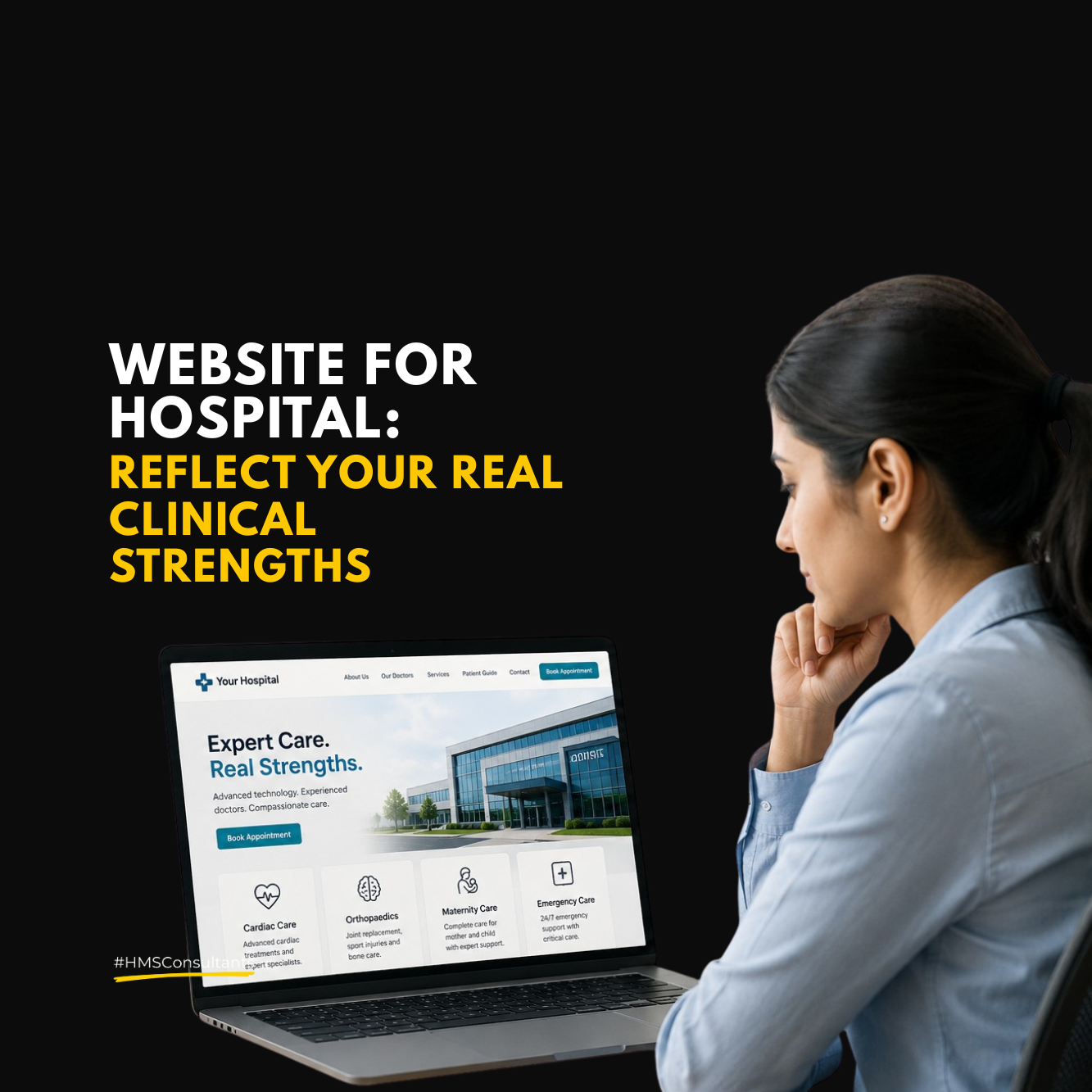
If you’re a hospital owner, medical director, or healthcare entrepreneur searching “website for hospital,” you’re not alone. In today’s digital-first world, your hospital’s website is no longer just a brochure, it’s your first impression, your digital reception desk, and often your main source of patient acquisition. Yet, so many hospitals continue to operate with outdated, confusing, or poorly structured websites that drive patients away.
In this blog, we’ll break down what truly makes a hospital website effective and why getting it wrong can silently cost you patients every single day.
Why Your Hospital Website Matters More Than Ever
Before we get into features and structure, let’s be clear: your website isn’t just a design asset. It’s a business tool.
- Patients are Googling symptoms and nearby hospitals before making a call.
- Referrals check your digital presence before they recommend you.
- Insurance companies, corporate clients, and new doctors judge credibility from your website.
In short, if your website doesn’t inspire trust and provide clarity, you’re losing patients.
Top Reasons Hospital Websites Fail (And How to Fix Them)
1. Cluttered or Confusing Homepage
If a patient can’t figure out what you offer within 5 seconds, you’ve lost them. A good homepage should immediately show:
- What kind of care you offer
- Where you’re located
- How to get in touch or book
Fix: Use clear headers like “24×7 Emergency Care in Ahmedabad” or “Book Your Appointment in 3 Clicks”.
2. No Mobile Optimization
More than 70% of patients browse on their phones. A site that doesn’t load well or navigate easily on mobile is instantly frustrating.
Fix: Ensure your website is mobile responsive and loads in under 3 seconds.
3. Missing Key Information
Too many hospital websites forget to list:
- Doctor profiles
- Visiting hours
- Departments & services
- WhatsApp/Call buttons
Fix: Include a well-structured “About Us” and “Doctors” section, plus a visible contact bar across all pages.
4. No Clear Call to Action (CTA)
If there’s no button or link telling patients what to do next, they’ll leave. A CTA could be:
- “Book Appointment”
- “Consult Now on WhatsApp”
- “Call Emergency Room”
Fix: Every page should guide the patient toward the next step.
5. Poor SEO & Metadata
You may have a beautiful website, but if it’s not optimized for search, nobody will find it.
Fix: Use targeted keywords like:
- “Best hospital in [City]”
- “Emergency care near me”
- “24×7 ICU in [Location]”
Include meta titles, alt text for images, and structured content with H1-H3 tags.
Must-Have Features for a Great Hospital Website
Here’s a checklist to guide your web development team:
- Fast loading speed (under 3 seconds)
- Clear services overview
- Searchable doctor directory
- Mobile-first design
- WhatsApp or instant call button
- Appointment form or booking integration
- Patient testimonials or Google Reviews
- Integrated Google Maps & address
- Chatbot or enquiry form
- Basic accessibility features (font size, color contrast)
Content That Converts Patients
A good hospital website doesn’t just list services it educates and reassures.
Instead of just writing “Orthopaedics,” explain: “From fractures to joint replacements, our ortho team brings 20+ years of surgical experience. Book a consultation today.”
Instead of listing doctor names only, write: “Dr. Meena Gupta, MD Pediatrics ith 15 years of experience in newborn and child care.” Well-written, human-centered content increases trust and conversions.
Final Thoughts : Your Website is Your Digital Hospital
Just like you wouldn’t leave your OPD messy or your reception unstaffed, don’t leave your website unclear or outdated.
Patients are visiting your digital front door before they ever walk in physically.
Invest in it wisely. Review it regularly. Optimize it continuously.
Want to check if your website is doing the job? Just open it on your phone and ask: “If I were a new patient, would I book?”
Written by Tusharika Ranjan
is something we strongly believe in, which means ‘Knowledge without application is the same as having no knowledge at all
Akhil Dave
Principle Consultant
Ready to take your Personal Brand to the next level?
Share your details below and we will connect with you to discuss your growth strategy.
Clinic Marketing: Why the Waiting Area Should Not Stay Silent
Clinic marketing should not stop outside the clinic. A well-planned waiting area can support patient education, improve communication, explain services,…
Branding Hospital: Why Service Names and Brand Clarity Matter
Branding hospital is about more than logos and design. Clear service names, consistent communication, and organised hospital branding help patients…
Digital Marketing in Healthcare: Why Strategy Should Come Before Channels
Digital marketing in healthcare works best when strategy comes before channels. Learn how service clarity, patient journey mapping, digital readiness,…
Marketing Ideas for Hospital: How to Use Local Community Presence for Better Recall
Marketing ideas for hospital growth should go beyond digital campaigns. Local community presence through health awareness programs, preventive check-up drives,…
Digital Marketing for Healthcare: Why Every Patient Touchpoint Needs a Different Message
Digital marketing for healthcare works best when every patient touchpoint delivers the right message. Learn how Google, websites, social media,…
Doctor Digital Marketing: How Patients Evaluate Doctors Before Booking
Doctor digital marketing helps patients evaluate a doctor before booking by checking their profile, expertise, reviews, communication style, online presence,…