

Category: Digital Marketing for Hospitals

  • How to Build a Hospital Website That Converts Patients

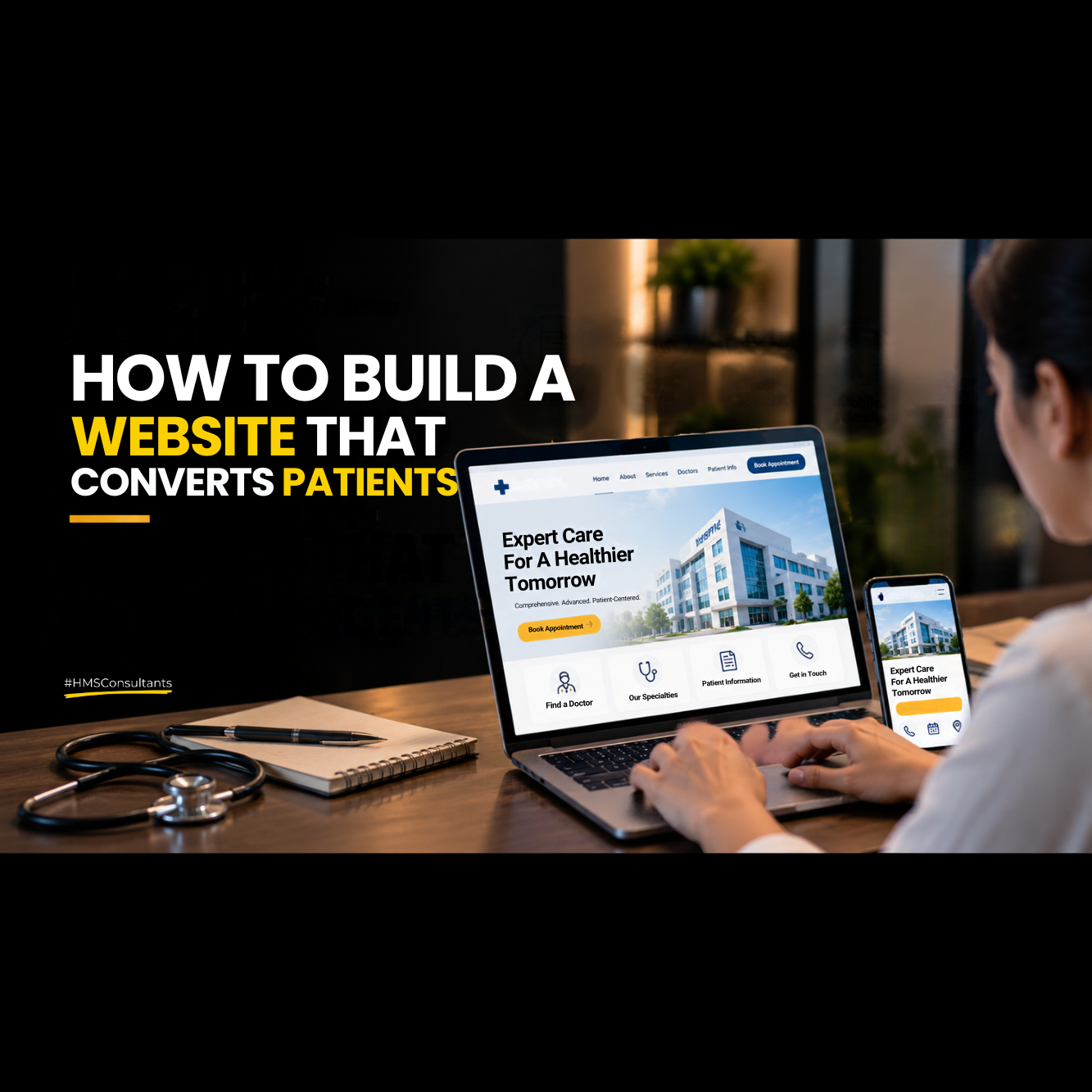
    How to Build a Hospital Website That Converts Patients

    How to Build a Hospital Website That Converts Patients

    Published on
    Share This

    A hospital website converts patients when it makes finding information and taking action booking, calling, enquiring effortless, on any device, within seconds of arriving. Most hospital websites fail at this not because they lack information, but because that information is hard to find, slow to load, or missing a clear next step.

    1. What Makes a Hospital Website “Convert”?

    Conversion, in this context, means a visitor taking a meaningful next step booking an appointment, submitting an enquiry form, or calling the hospital rather than leaving without acting. A hospital website can have excellent content and still convert poorly if the path from arriving on the page to taking that next step is unclear, slow, or buried too many clicks deep.

    2. Essential Pages Every Hospital Website Needs

    – Homepage that clearly states what the hospital does and for whom, with an immediate path to act

    – Individual department and specialty pages, not just a general “services” list

    – A doctors directory with individual profiles building credibility for each practitioner

    – A clear, simple contact and appointment page

    – Patient information pages (insurance, visiting hours, what to expect) that reduce pre-visit anxiety

    3. Above-the-Fold: What Patients Need to See First

    The section a visitor sees without scrolling should answer, immediately: what does this hospital specialize in, and how do I take the next step? A hospital name and logo alone, with no clear specialty statement or call-to-action visible immediately, wastes the most valuable real estate on the page most visitors decide within seconds whether to keep engaging or leave.

    4. Calls-to-Action That Actually Work in Healthcare

    Generic buttons like “Learn More” underperform specific, action-oriented alternatives: “Book an Appointment,” “Call Now,” “Check Doctor Availability.” Every key page should have a clear, visible call-to-action rather than assuming a visitor will scroll to find contact information at the bottom. In healthcare specifically, offering a low-commitment first step (like a simple enquiry form) alongside a higher-commitment one (direct appointment booking) captures visitors who aren’t ready to commit fully yet but are still worth engaging.

    5. Mobile Experience: Non-Negotiable in 2026

    Most healthcare searches happen on mobile, often with real urgency behind them. A slow-loading or hard-to-navigate mobile site directly costs enquiries a patient searching urgently for a nearby specialist won’t wait for a slow page to load or struggle to find a phone number buried in a desktop-oriented menu. Testing the actual mobile experience on a real phone, not just a resized browser window, regularly surfaces problems that aren’t visible from a desktop view.

    6. Trust Signals That Increase Conversion

    – Genuine patient reviews and testimonials, with consent (see our guide on getting more patient reviews)

    – Doctor credentials and qualifications clearly displayed, not buried

    – Accreditations, certifications, or awards, where genuinely held

    – Real photography of the actual facility, not generic stock imagery

    – Clear, transparent information about what to expect (cost ranges, process, wait times)

    7. Speed & Technical Basics

    A page that takes more than 3 seconds to load on mobile loses a meaningful percentage of visitors before they even see the content. Beyond raw speed, basic technical hygiene matters: working contact forms tested end-to-end, no broken links, secure (HTTPS) browsing, and structured data (see our SEO and AEO strategy guide) that helps both search engines and AI tools understand and correctly represent the hospital.

    8. The Conversion Checklist

    ☐ Homepage clearly states specialty and includes an immediate call-to-action

    ☐ Every key page has a visible, specific call-to-action

    ☐ Contact and enquiry forms are tested end-to-end and route to someone who responds promptly

    ☐ Mobile experience is tested on an actual device, not just a resized browser

    ☐ Page load time is under 3 seconds on mobile

    ☐ Doctor profiles and credentials are clearly displayed

    ☐ Genuine patient reviews or testimonials are visible where appropriate

    ☐ Structured data (schema) is implemented for key pages

    9. Common Website Mistakes That Kill Conversions

    – Burying the phone number or enquiry form several clicks deep

    – Using generic stock photography instead of real facility images

    – Contact forms that technically work but route to an unmonitored inbox

    – A desktop-optimized design that becomes cluttered or slow on mobile

    – No clear specialty statement above the fold, leaving visitors unsure what the hospital actually offers

    10. How HMS Consultants Approaches Hospital Website Strategy

    HMS Consultants evaluates a hospital website specifically against conversion not just aesthetics or content volume identifying the exact points where visitors are likely dropping off before they take action, and prioritizing fixes accordingly.

    Frequently Asked Questions

    At minimum: a homepage, individual department/specialty pages, a doctors directory with individual profiles, a contact/appointment page, and a way to actually book or enquire not just a phone number listed passively.

    Digital Marketing for Hospitals

    is something we strongly believe in, which means ‘Knowledge without application is the same as having no knowledge at all

    Akhil Dave

    Principle Consultant

    Ready to take your Personal Brand to the next level?

    Share your details below and we will connect with you to discuss your growth strategy.

    • Digital Marketing for Doctors: A Beginner’s Guide

      Digital Marketing for Doctors: A Beginner’s Guide

      Digital Marketing for Doctors: A Beginner’s Guide

      Published on
      Share This

      Hospital branding is every consistent, deliberate signal visual, verbal, and experiential that tells a patient what to expect before they’ve even met a doctor. Below are 50 practical ideas across six categories: pick the ones that fit your hospital’s size and budget rather than treating this as a mandatory checklist.

      1. What Is Digital Marketing for Doctors?

      Digital marketing for doctors covers everything an individual practitioner does online to become findable and trustworthy to prospective patients a Google Business Profile, a website, social media, and basic search visibility. It’s a smaller, more personal version of what a hospital does at scale, but with the advantage that a solo doctor can move faster and doesn’t need a large team to get the fundamentals right.

      2. Why This Guide Is for Beginners, Not Marketing Experts

      This guide deliberately avoids advanced tactics paid advertising strategy, complex SEO, multi-platform content calendars because most doctors starting from zero don’t need any of that yet. The goal here is the smallest set of actions that produce a real, findable, trustworthy online presence. Once those fundamentals are solid, more advanced approaches (covered in our local SEO checklist and personal branding playbook) become worth the additional effort.

      3. Step 1: Get Your Google Business Profile Right

      This is the single highest-impact, lowest-effort starting point. Claim and verify the profile if it isn’t already, select the correct specialty as the primary category, add accurate hours and contact information, upload real photos of the practice, and post an update at least monthly. This alone often produces more visible results than any other single action on this list, because it directly affects whether the doctor appears in “near me” and local searches.

      4. Step 2: Build a Simple, Functional Website

      A website doesn’t need to be elaborate to be effective. At minimum it should clearly state the doctor’s name, specialty, location, and how to book an appointment, load quickly on mobile, and include a simple bio that builds credibility. Elaborate design and extensive content can come later a simple, working, fast website beats an ambitious one that’s still half-finished a year later.

      5. Step 3: Choose One Social Media Platform to Start

      Rather than trying to maintain Instagram, Facebook, and LinkedIn simultaneously, pick the one platform where the target patient audience is most likely to be, and post consistently there before expanding. For most individual doctors, Instagram works well for patient-facing trust-building, while LinkedIn works better for those focused on referrals from other doctors. Our social media content strategy for doctors goes deeper into building out a sustainable content plan once this first platform is chosen.

      6. Step 4: Understand Basic Local SEO

      Local SEO doesn’t need to be complicated at the beginner stage the core idea is making sure the doctor’s name, address, and phone number are identical everywhere they appear online (the website, Google Business Profile, and any directory listings like Practo or Justdial), and that the website mentions the doctor’s specialty and city naturally in its text. Our full local SEO checklist for doctors covers this in more depth once the basics here are in place.

      7. Step 5: Set Up Simple Tracking

      Even at a beginner level, it’s worth knowing whether any of this is working. At minimum, install Google Analytics on the website, and simply ask new patients how they found the practice this low-tech tracking method is often more informative than any dashboard for a doctor just starting out, and costs nothing to implement.

      8. Common Beginner Mistakes

      – Trying to be active on every platform at once instead of doing one well

      – Building an elaborate website before getting the Google Business Profile right first

      – Posting inconsistently, then giving up after a few weeks of low engagement

      – Copying generic health content instead of sharing genuine expertise and perspective

      – Never checking whether any of the activity is actually bringing in patients

      9. A Realistic First 90 Days

      Weeks 1-2: Claim and fully complete the Google Business Profile

      Weeks 3-4: Build or update a simple website with clear contact and booking information

      Weeks 5-8: Choose one social platform and post consistently, twice a week

      Weeks 9-12: Review what’s working check Google Business Profile insights, website traffic, and ask new patients how they found the practice and adjust from there

      This pace is deliberately conservative. A doctor who consistently does these five things well over 90 days will typically be ahead of most local competitors who either do nothing or spread themselves thin across too many channels at once.

      10. How HMS Consultants Helps Doctors Get Started

      HMS Consultants works with individual doctors to set up these fundamentals correctly from day one, avoiding the common trial-and-error most doctors go through on their own, and builds toward more advanced strategy once the basics are solid.

      Frequently Asked Questions

      Start with the Google Business Profile it’s free, takes under an hour to set up properly, and has an outsized impact on whether the doctor appears in local search results.

      Digital Marketing for Hospitals

      is something we strongly believe in, which means ‘Knowledge without application is the same as having no knowledge at all

      Akhil Dave

      Principle Consultant

      Ready to take your Personal Brand to the next level?

      Share your details below and we will connect with you to discuss your growth strategy.